1600 Lumen Trionic LED Front Light with Battery Pack

This manual both shows how you attach the light holder and the light on a Walker (left column below) and also how you attach them on a Veloped (right column below).

In the left-hand photo, A shows the holder attachment parts for a Walker (2 screws + 2 washers). B shows the holder attachment parts for a Veloped (1 screw + 1 knurled nut + 1 nut).

1600 Lumen Trionic LED Front Light with Battery Pack

Attaching the Light Holder

Instructions for a Walker
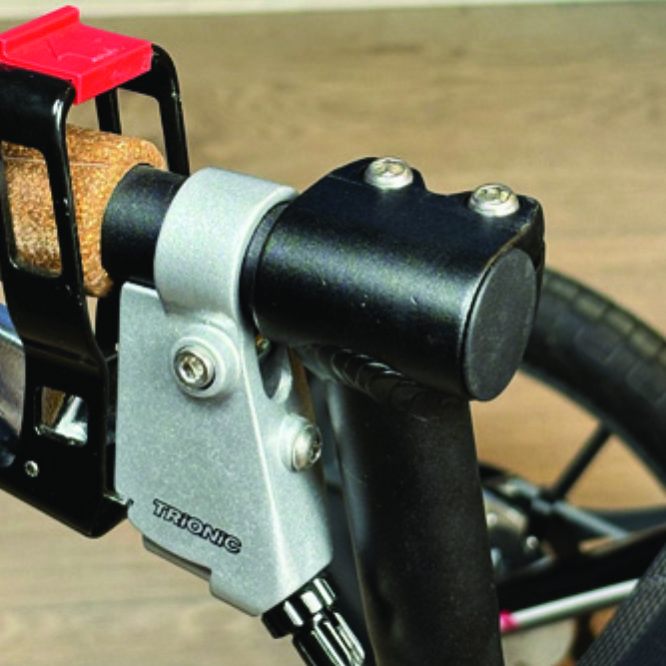
On top of the black semi-vertical tube, locate the two screws that clamp the grip tube, situated in front of the brake lever.
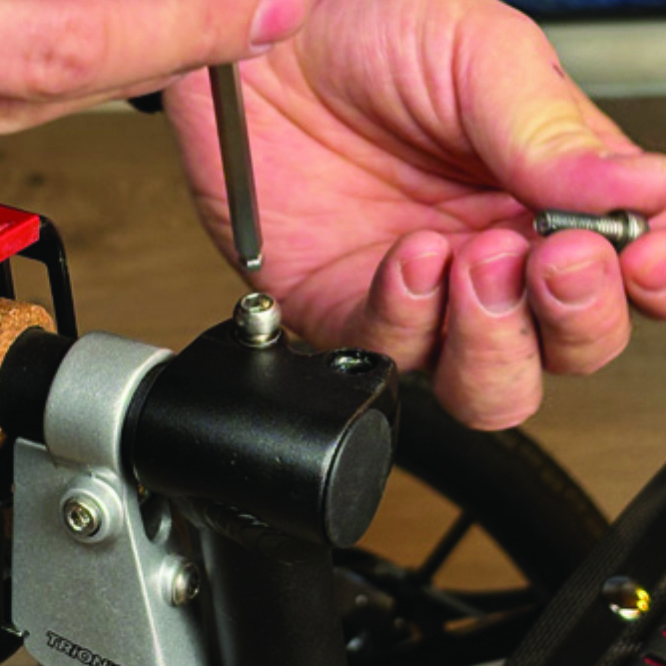
A1. On top of the black semi-vertical tube, locate the two screws that clamp the grip tube, situated in front of the brake lever.
Loosen both screws with the 5mm allen key included with the LED light.
A2. Loosen both screws with the 5mm allen key included with the LED light.
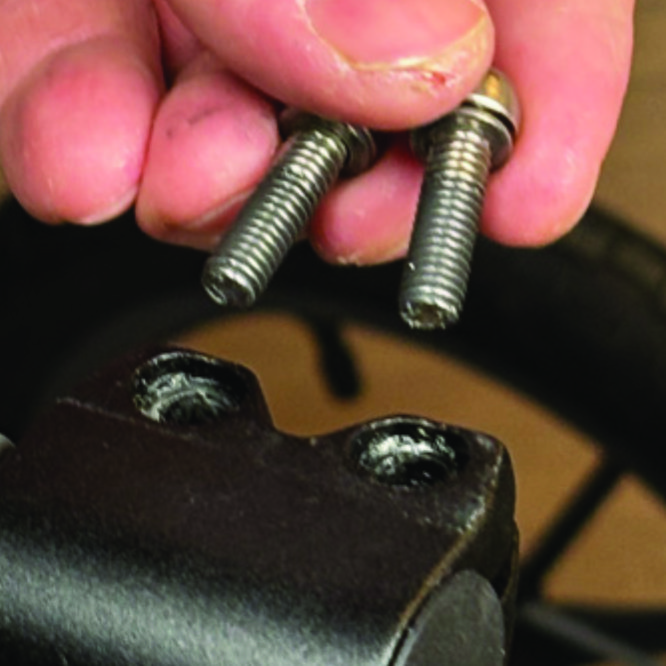
Remove the two screws from the grip clamp.
A3. Remove the two screws from the grip clamp.
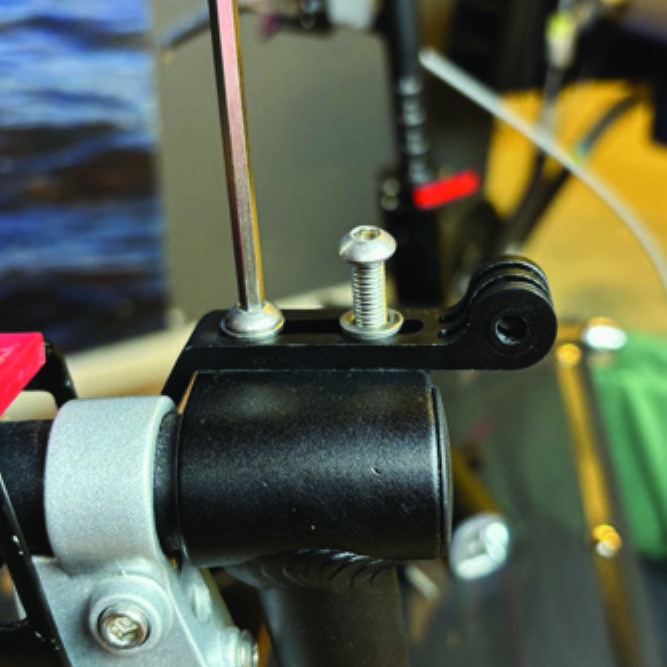
Place the light holder on top of the grip clamp, with its circular and slotted light attachment pointing forwards and upwards. Enter the two screws with washers into the holes of the clamp.
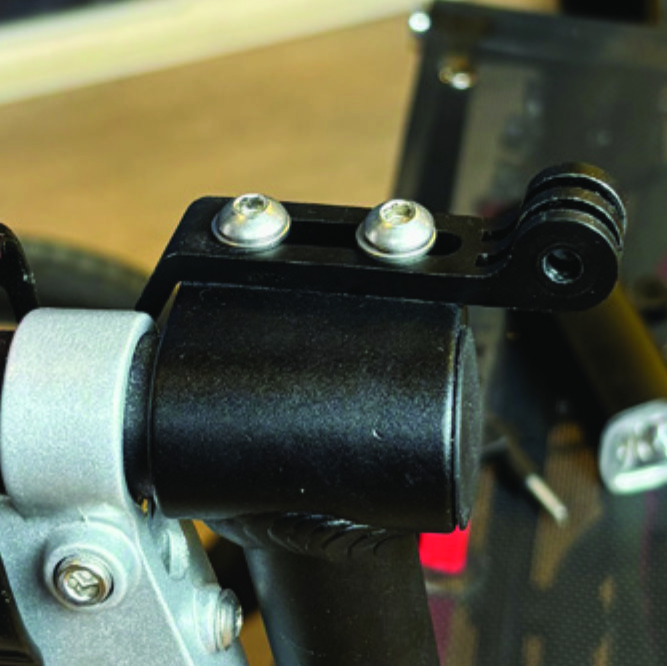
A4. Place the light holder on top of the grip clamp, with its circular and slotted light attachment pointing forwards and upwards. Enter the two screws with washers into the holes of the clamp.
Tighten the two screws with the 5mm allen key. NOTE: It is important that you tighten the screws properly as they secure the grip tube with its rubber grip and brake lever.
A5. Tighten the two screws with the 5mm allen key. NOTE: It is important that you tighten the screws properly as they secure the grip tube with its rubber grip and brake lever.

Instructions for a Veloped
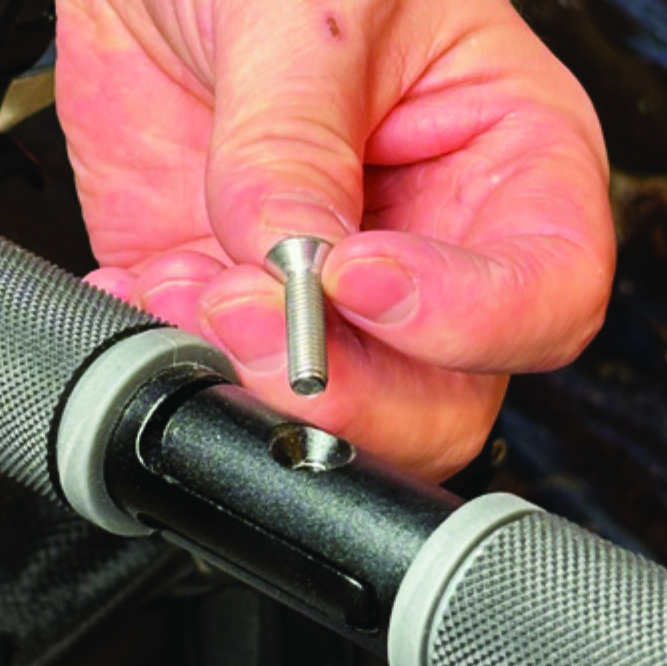
Locate the screw at the center folding hinge of the U-shaped grip bar of the Veloped. Unscrew the screw with the included 4mm allen key and remove it.
A1. Locate the screw at the center folding hinge of the U-shaped grip bar of the Veloped. Unscrew the screw with the included 4mm allen key and remove it.
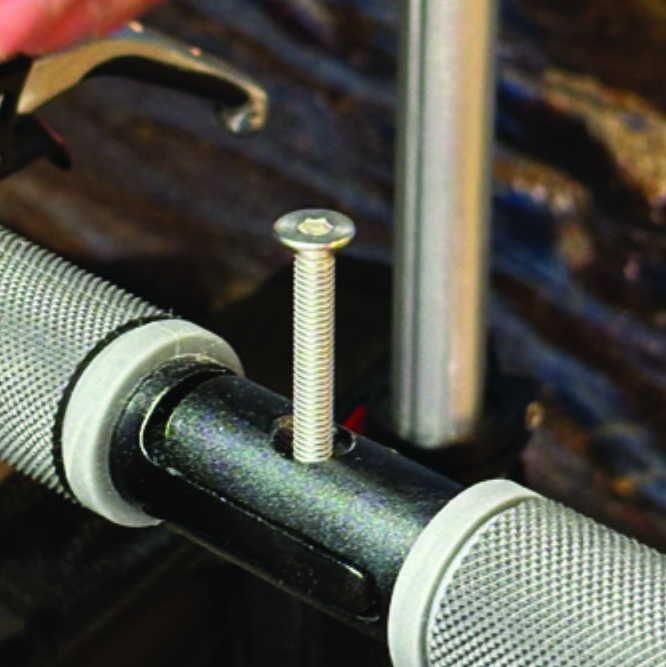
Replace the old screw with the longer screw included with the LED light. Attach the longer screw to the hinge and tighten it with the 4mm allen key.
B2. Replace the old screw with the longer screw included with the LED light. Attach the longer screw to the hinge and tighten it with the 4mm allen key.
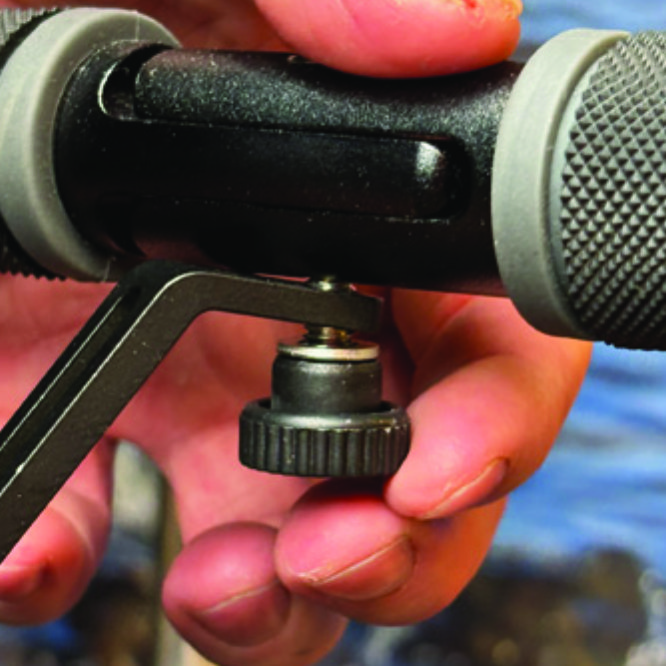
Attach the short angled end of the light holder to the lower end of the screw, on the downside of the grip bar. Fasten the holder with one washer and the knurled nut.
B3. Attach the short angled end of the light holder to the lower end of the screw, on the downside of the grip bar. Fasten the holder with one washer and the knurled nut.
For a more secure holder attachment, avoiding the holder to unintentionally turn sideways, replace the knurled nut with the included stainless steel nut and tighten it with a 10mm spanner.
B4. For a more secure holder attachment, avoiding the holder to unintentionally turn sideways, replace the knurled nut with the included stainless steel nut and tighten it with a 10mm spanner.
This photo shows the light holder as correctly attached.
B5. This photo shows the light holder as correctly attached.

Attaching the LED Light to the Holder

Instructions for a Walker
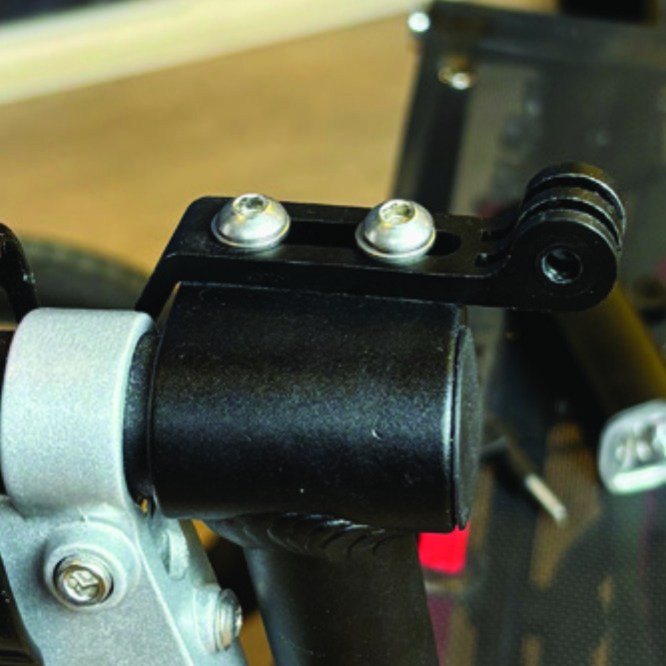
Identify the circular front end of the light holder, with two slots for attaching the light.
A6. Identify the circular front end of the light holder, with two slots for attaching the light.
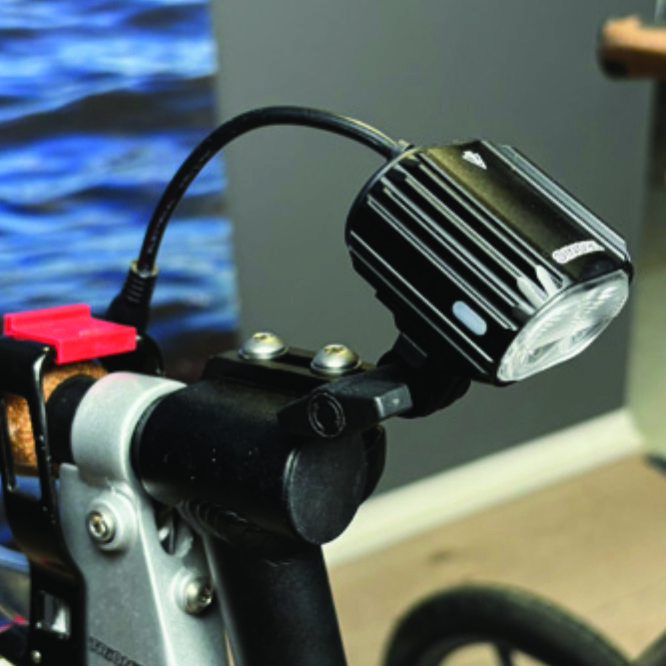
Push the slotted bracket of the light into the slots of the holder and make sure they are aligned. Seen in the traveling direction of the Walker, enter the included wingnut from the left and tighten it.
A7. Push the slotted bracket of the light into the slots of the holder and make sure they are aligned. Seen in the traveling direction of the Walker, enter the included wingnut from the left and tighten it.

Instructions for a Veloped
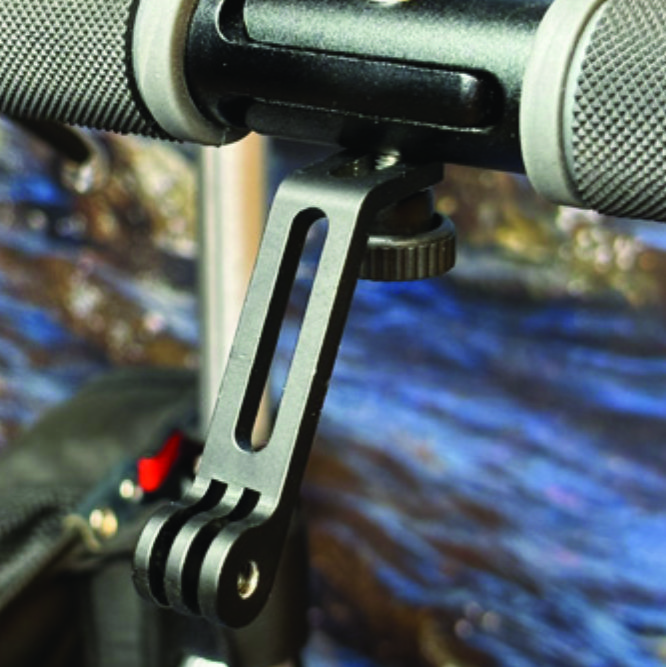
Locate the screw at the center folding hinge of the U-shaped grip bar of the Veloped. Unscrew the screw with the included 4mm allen key and remove it.
B6. Locate the screw at the center folding hinge of the U-shaped grip bar of the Veloped. Unscrew the screw with the included 4mm allen key and remove it.
Identify the circular front end of the light holder, with two slots for attaching the light.
B7. Identify the circular front end of the light holder, with two slots for attaching the light.

Placing the Battery Pack

Instructions for a Walker
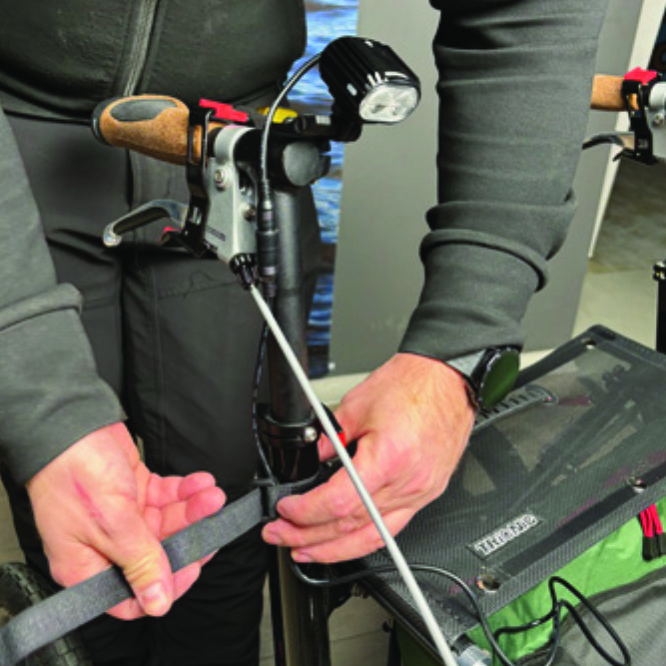
Run the longer extension cable along the semi-vertical grip tube of the Walker and secure it with the included velcro strap.
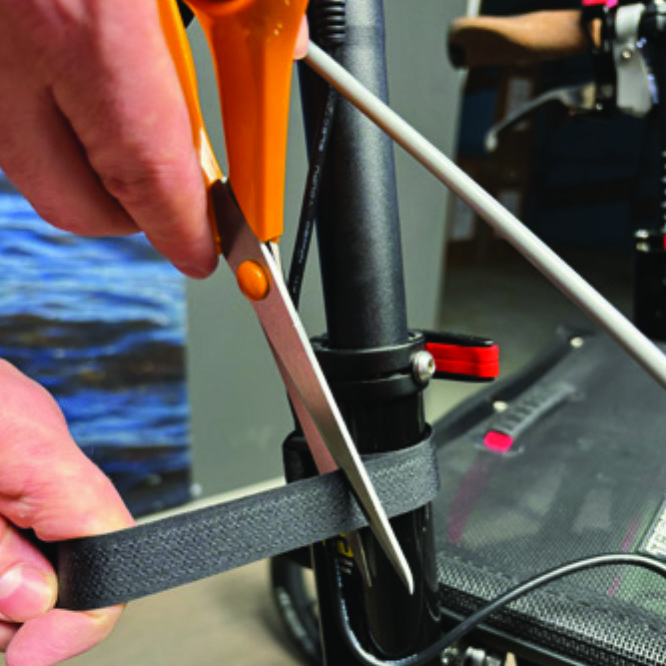
A8. Run the longer extension cable along the semi-vertical grip tube of the Walker and secure it with the included velcro strap.
You can cut the excessive length of the velcro strap with a pair of scissors.
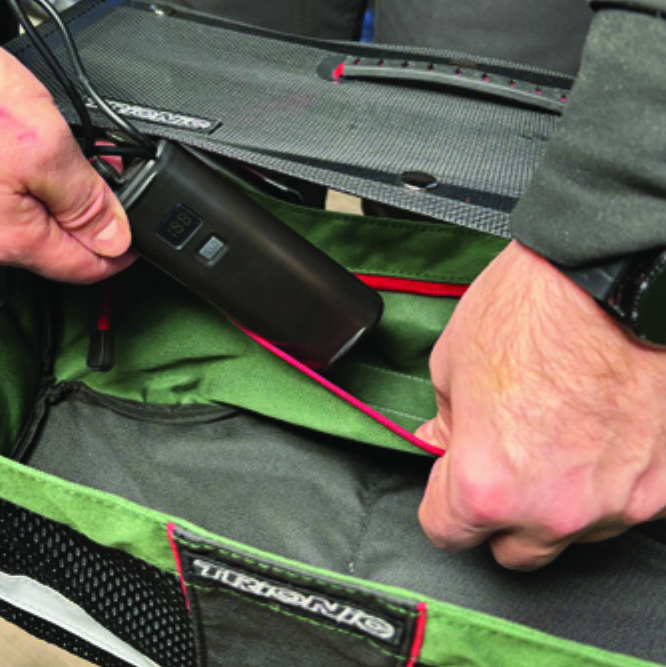
A9. You can cut the excessive length of the velcro strap with a pair of scissors.
Place the battery pack in the rear zippered pocket of the basket.
A10. Place the battery pack in the rear zippered pocket of the basket.

Instructions for a Veloped
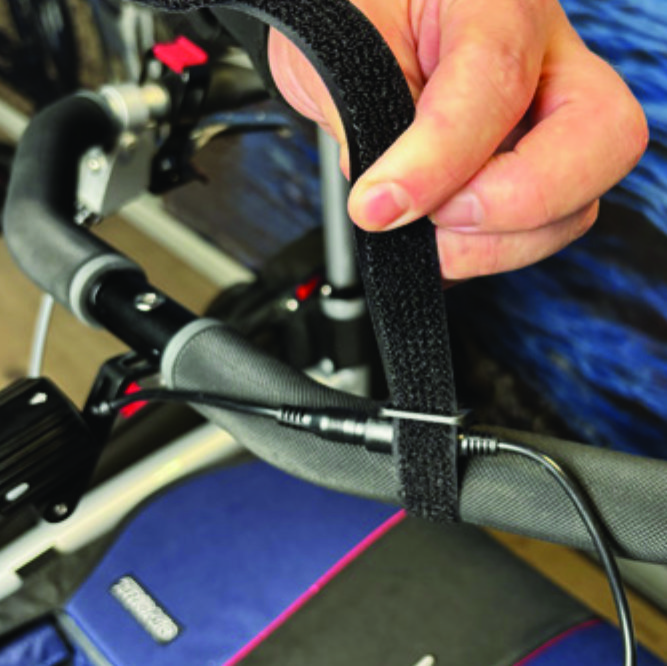
Run the longer extension cable along the U-shaped grip bar of the Veloped and secure it with the included velcro strap.
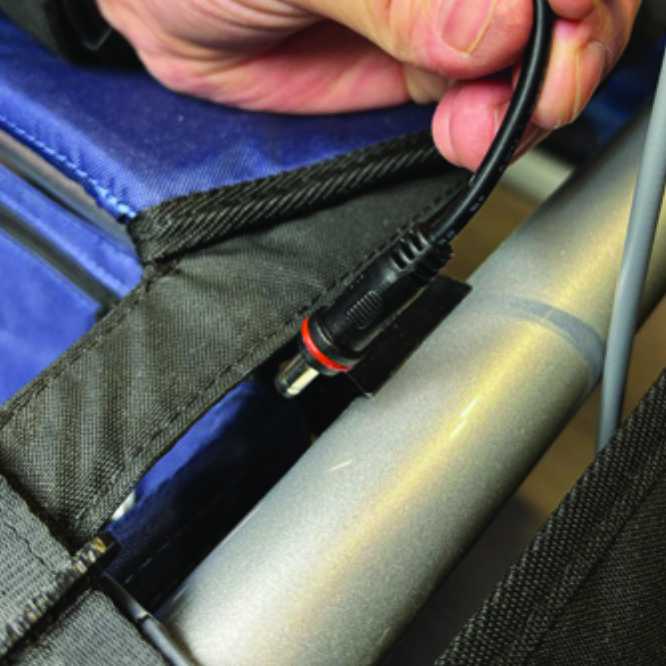
B8. Run the longer extension cable along the U-shaped grip bar of the Veloped and secure it with the included velcro strap.
You can cut the excessive length of the velcro strap with a pair of scissors.
B9. You can cut the excessive length of the velcro strap with a pair of scissors.
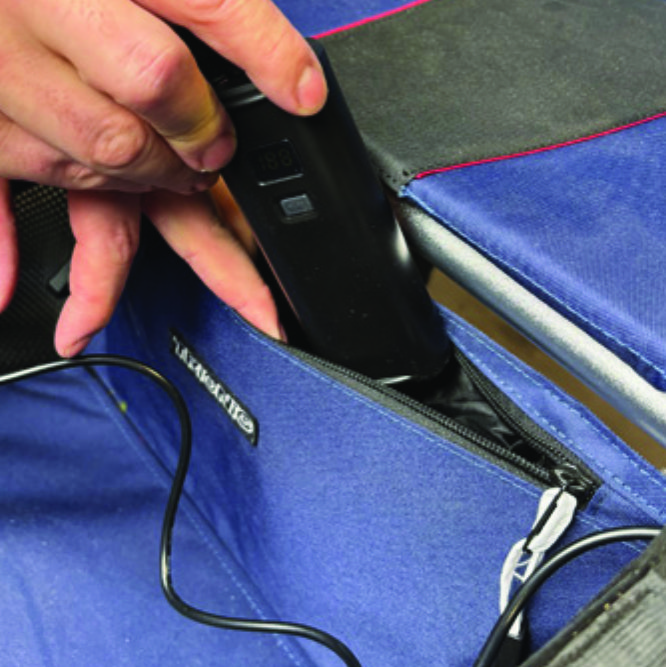
Place the battery pack in the rear zippered pocket of the basket.
B10. Place the battery pack in the rear zippered pocket of the basket.

The package contains

The package contains

How to operate the light

How to operate the light

Product Reviews    

  • Wishing you a happy new year and partly thanking you for my Trionic 12er…

    The delivery was remarkably fast, the packaging was beautifully designed and the 12er is perfect for my needs. I actually managed to get down to the beach to test it on sand and am very happy with the result. In addition, it is so quiet on all surfac…

  • Walker 12er…

    Very nice. Easy to maneuver. My 93-year-old mother now can walk on various paths feeling secure with her walking.…

  • Excellent!…

    I don't normally write reviews, but wanted to say how grateful we are to have found the Trionic Veloped. Things were looking quite bleak until we found it. My husband has a rare degenerative condition similar to MND. He is tall and wants to remain as…

  • Mr Peter Baker…

    I Have owned my Veloped Sport 14er L for just over 3 weeks, its has made a tremendous deference to my mobility. Im a 72 year old male who suffered spinal cord damage in a mountaineering accident 18 years ago, I had been using crutches but just after …

  • So good we bought a second one…

    We bought the Veloped Sport as we live on a farm and have horses and were very pleased with it and felt safe using it. But we found it a bit large for some situations like hospital appointments and getting it in the car. So bought the walker as well.…

  • Veloped Tour…

    I love this product as it enables me to walk outside with my dog & visit gardens & properties near my home. Delivery was quick, service excellent.

    I have had a previous Veloped for 7 years, following knee replacements, but it was stolen from my fr…

  • No problems at the beach…

    I have always been fit and healthy until 2 years ago. An accident at work put an end to that. I now have an inexplicable pain in my leg and back that makes walking almost impossible. After using some granny walkers, Trionic came up via Google. I had …

  • The latest 5 star walker…

    The Trionic 12er is a very stylish and sturdy successor for my husband's previous walker. It looks weightier in design than previous models but is in fact unbelievably light in handling.

    Its pneumatic tyres provide a very smooth walk and allow ea…

  • I’m 37 with primary progressive……

    I’m 37 with primary progressive multiple sclerosis. I’ve been using rollator walkers for 3-4 years. They are great for indoors but lack completely when the ground is anything but smooth.

    To stay mobile, I need to walk regularly. I searched for a …

Subscribe to our newsletter!

"> ?>