1600 Lumen Trionic LED Front Light with Battery Pack

This manual both shows how you attach the light holder and the light on a Walker (left column below) and also how you attach them on a Veloped (right column below).

In the left-hand photo, A shows the holder attachment parts for a Walker (2 screws + 2 washers). B shows the holder attachment parts for a Veloped (1 screw + 1 knurled nut + 1 nut).

1600 Lumen Trionic LED Front Light with Battery Pack

Attaching the Light Holder

Instructions for a Walker
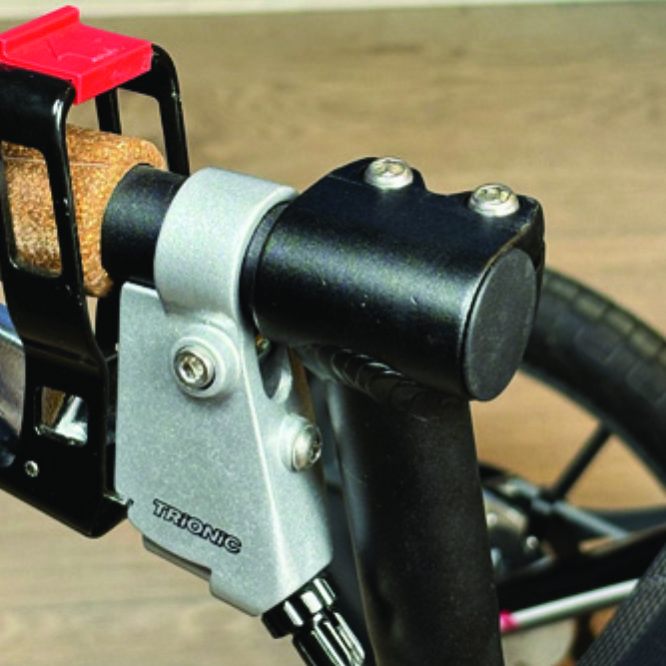
On top of the black semi-vertical tube, locate the two screws that clamp the grip tube, situated in front of the brake lever.
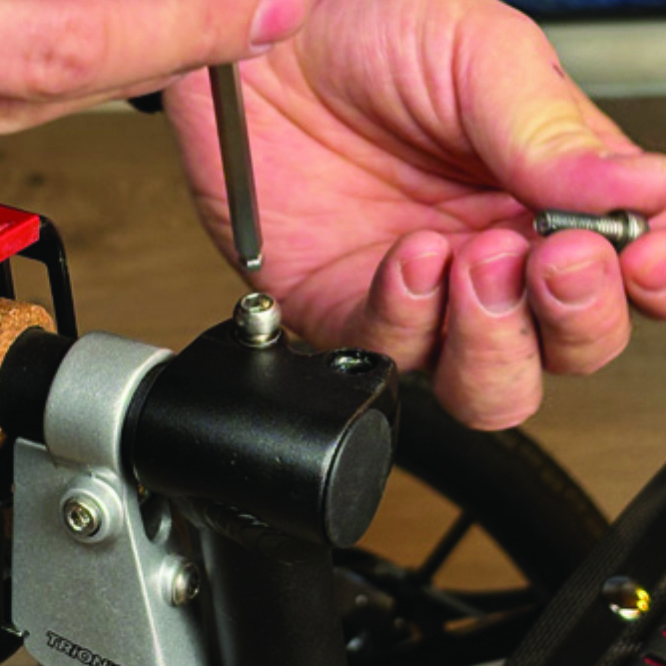
A1. On top of the black semi-vertical tube, locate the two screws that clamp the grip tube, situated in front of the brake lever.
Loosen both screws with the 5mm allen key included with the LED light.
A2. Loosen both screws with the 5mm allen key included with the LED light.
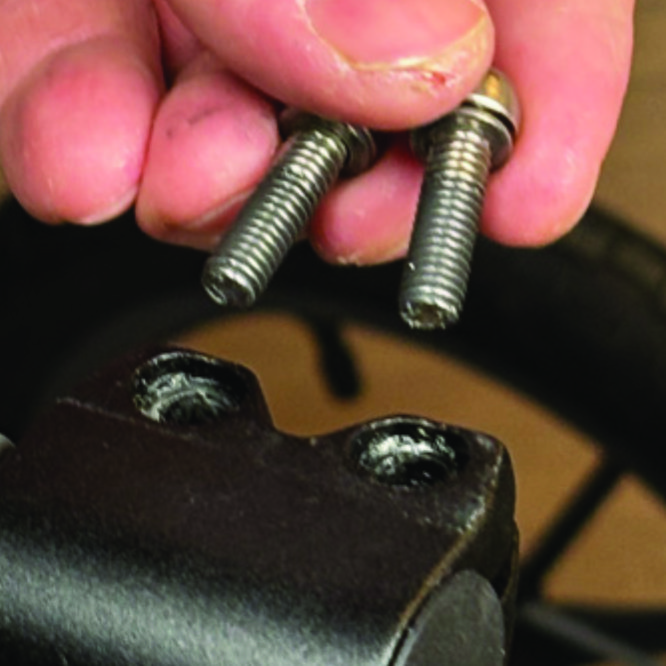
Remove the two screws from the grip clamp.
A3. Remove the two screws from the grip clamp.
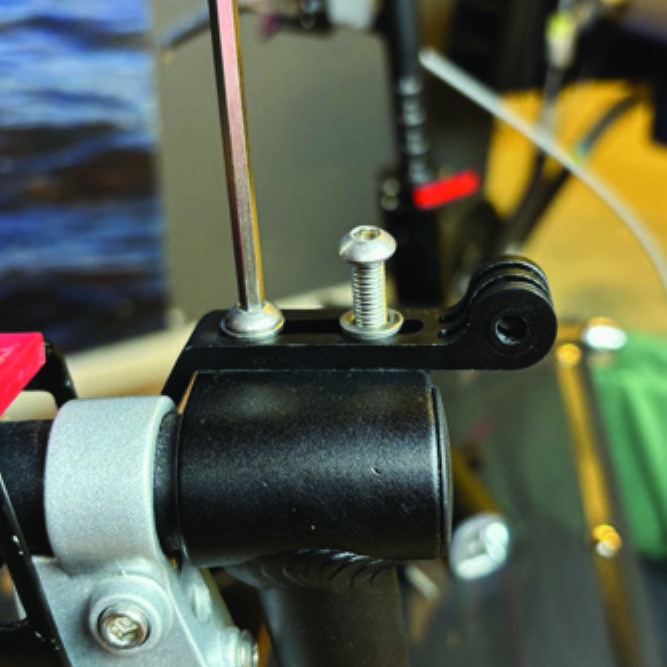
Place the light holder on top of the grip clamp, with its circular and slotted light attachment pointing forwards and upwards. Enter the two screws with washers into the holes of the clamp.
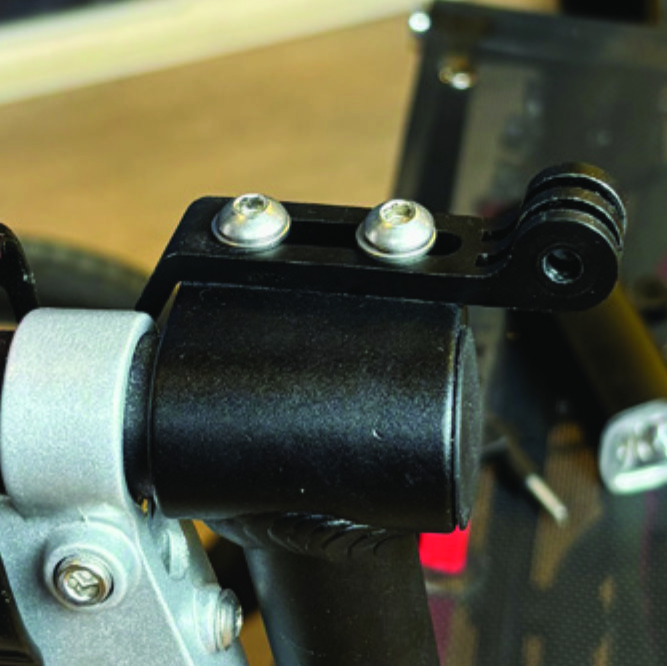
A4. Place the light holder on top of the grip clamp, with its circular and slotted light attachment pointing forwards and upwards. Enter the two screws with washers into the holes of the clamp.
Tighten the two screws with the 5mm allen key. NOTE: It is important that you tighten the screws properly as they secure the grip tube with its rubber grip and brake lever.
A5. Tighten the two screws with the 5mm allen key. NOTE: It is important that you tighten the screws properly as they secure the grip tube with its rubber grip and brake lever.

Instructions for a Veloped
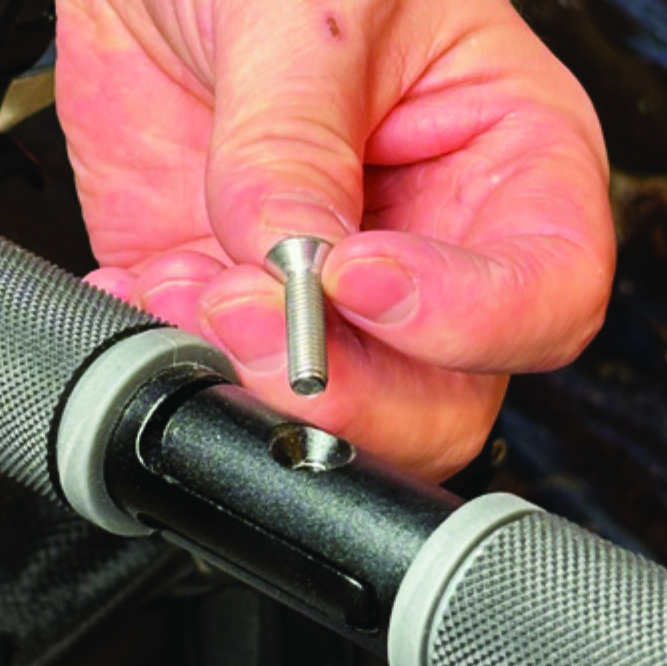
Locate the screw at the center folding hinge of the U-shaped grip bar of the Veloped. Unscrew the screw with the included 4mm allen key and remove it.
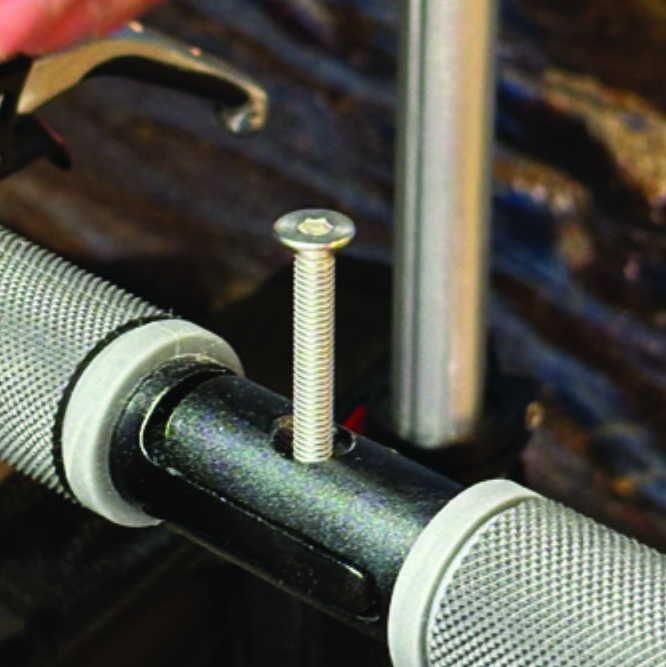
A1. Locate the screw at the center folding hinge of the U-shaped grip bar of the Veloped. Unscrew the screw with the included 4mm allen key and remove it.
Replace the old screw with the longer screw included with the LED light. Attach the longer screw to the hinge and tighten it with the 4mm allen key.
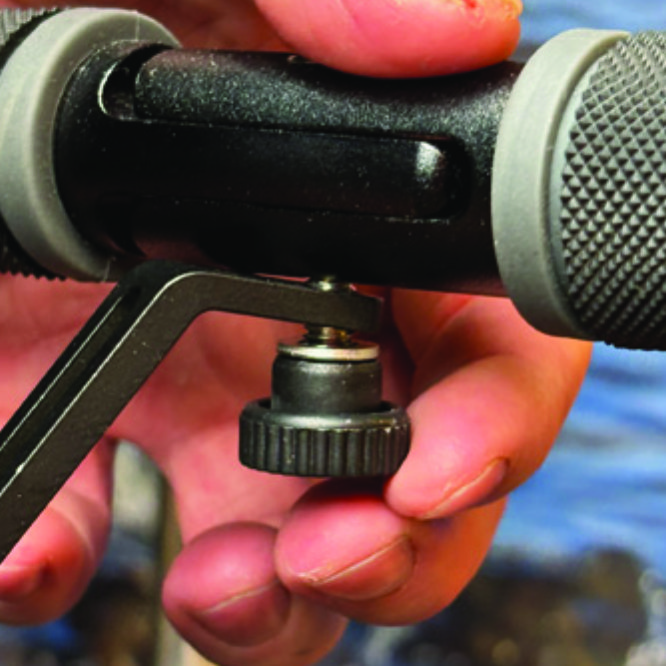
B2. Replace the old screw with the longer screw included with the LED light. Attach the longer screw to the hinge and tighten it with the 4mm allen key.
Attach the short angled end of the light holder to the lower end of the screw, on the downside of the grip bar. Fasten the holder with one washer and the knurled nut.
B3. Attach the short angled end of the light holder to the lower end of the screw, on the downside of the grip bar. Fasten the holder with one washer and the knurled nut.
For a more secure holder attachment, avoiding the holder to unintentionally turn sideways, replace the knurled nut with the included stainless steel nut and tighten it with a 10mm spanner.
B4. For a more secure holder attachment, avoiding the holder to unintentionally turn sideways, replace the knurled nut with the included stainless steel nut and tighten it with a 10mm spanner.
This photo shows the light holder as correctly attached.
B5. This photo shows the light holder as correctly attached.

Attaching the LED Light to the Holder

Instructions for a Walker
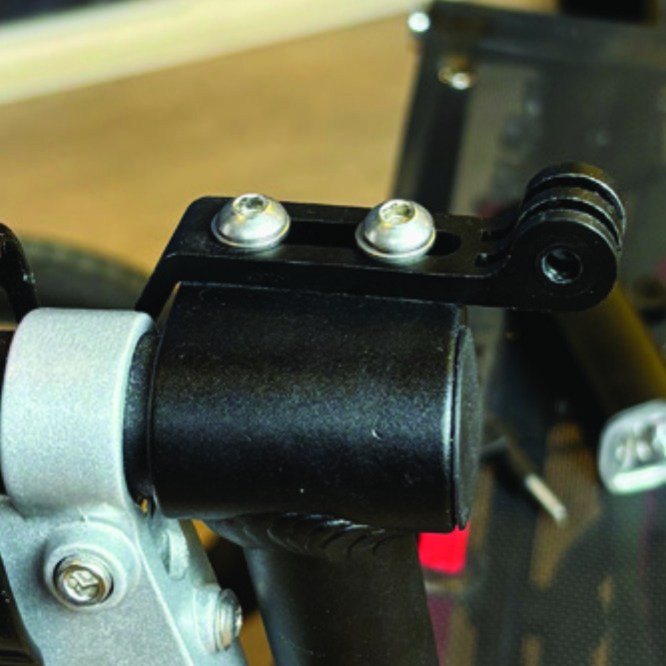
Identify the circular front end of the light holder, with two slots for attaching the light.
A6. Identify the circular front end of the light holder, with two slots for attaching the light.
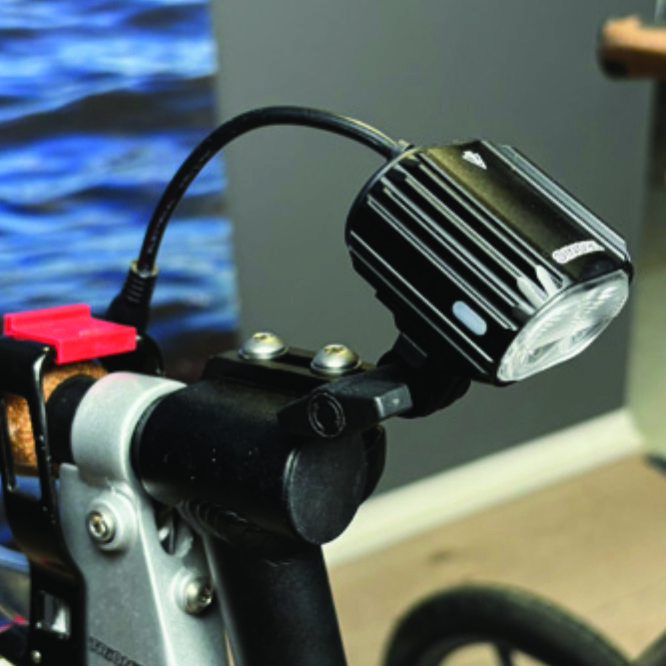
Push the slotted bracket of the light into the slots of the holder and make sure they are aligned. Seen in the traveling direction of the Walker, enter the included wingnut from the left and tighten it.
A7. Push the slotted bracket of the light into the slots of the holder and make sure they are aligned. Seen in the traveling direction of the Walker, enter the included wingnut from the left and tighten it.

Instructions for a Veloped
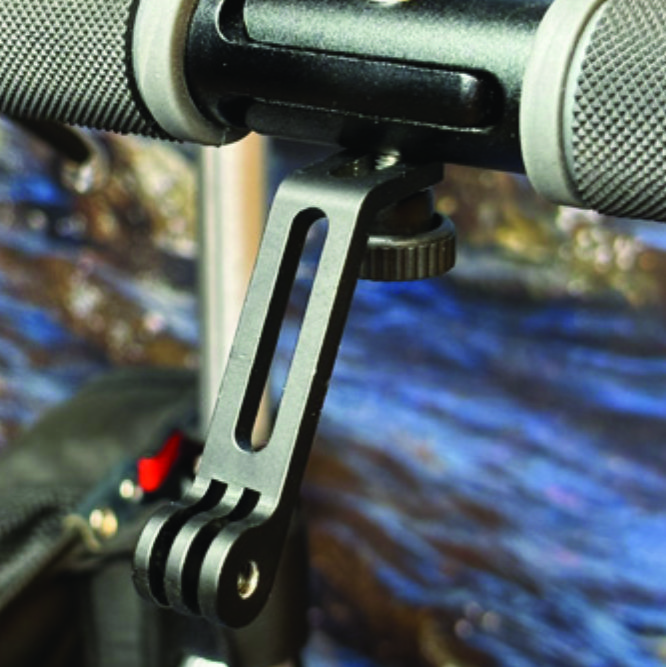
Locate the screw at the center folding hinge of the U-shaped grip bar of the Veloped. Unscrew the screw with the included 4mm allen key and remove it.
B6. Locate the screw at the center folding hinge of the U-shaped grip bar of the Veloped. Unscrew the screw with the included 4mm allen key and remove it.
Identify the circular front end of the light holder, with two slots for attaching the light.
B7. Identify the circular front end of the light holder, with two slots for attaching the light.

Placing the Battery Pack

Instructions for a Walker
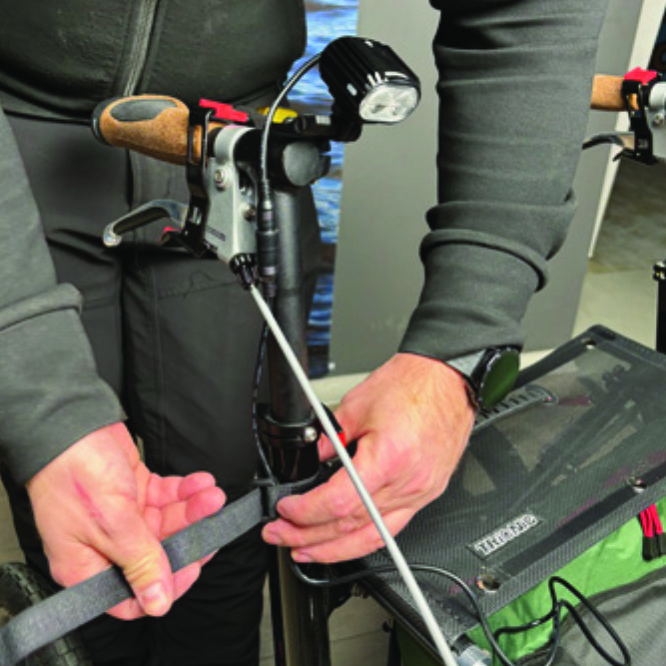
Run the longer extension cable along the semi-vertical grip tube of the Walker and secure it with the included velcro strap.
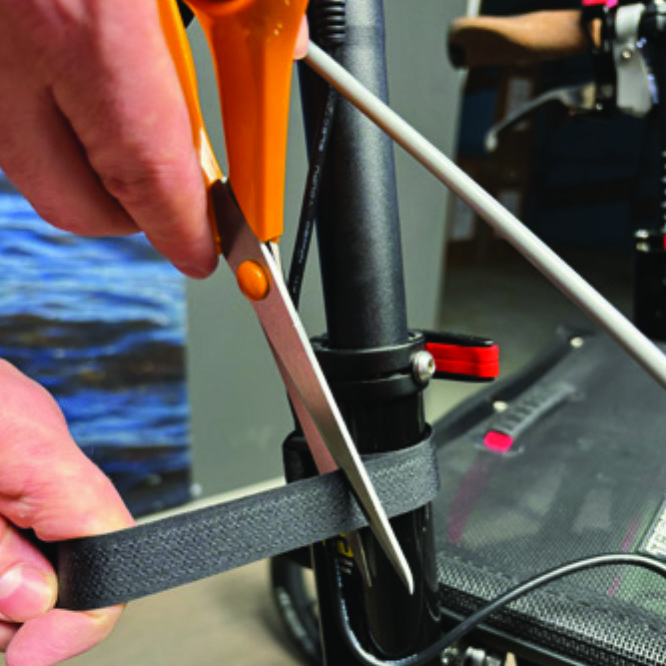
A8. Run the longer extension cable along the semi-vertical grip tube of the Walker and secure it with the included velcro strap.
You can cut the excessive length of the velcro strap with a pair of scissors.
A9. You can cut the excessive length of the velcro strap with a pair of scissors.
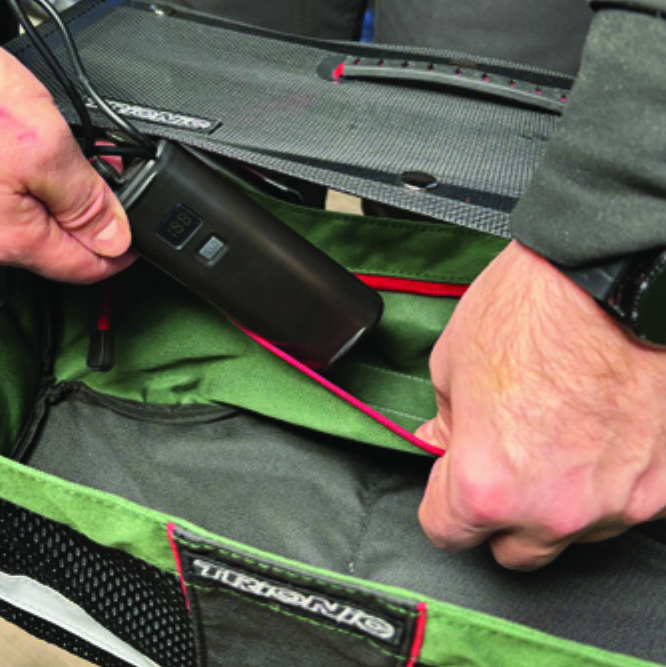
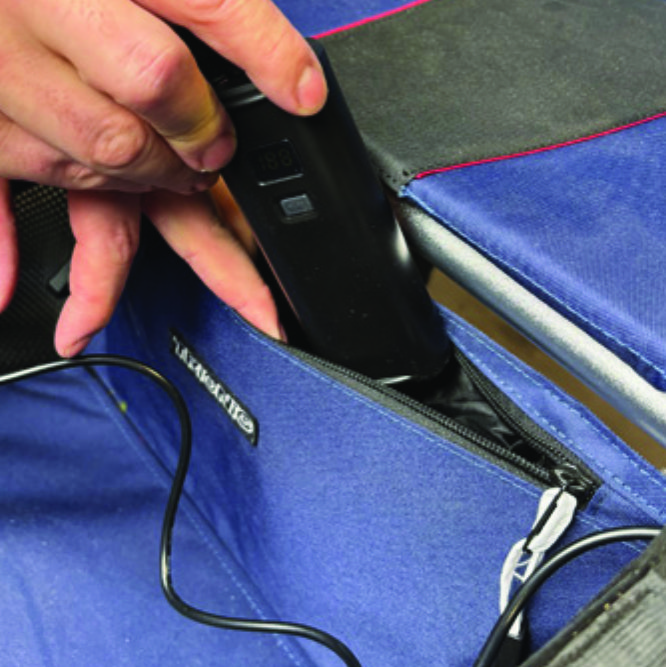
Place the battery pack in the rear zippered pocket of the basket.
A10. Place the battery pack in the rear zippered pocket of the basket.

Instructions for a Veloped
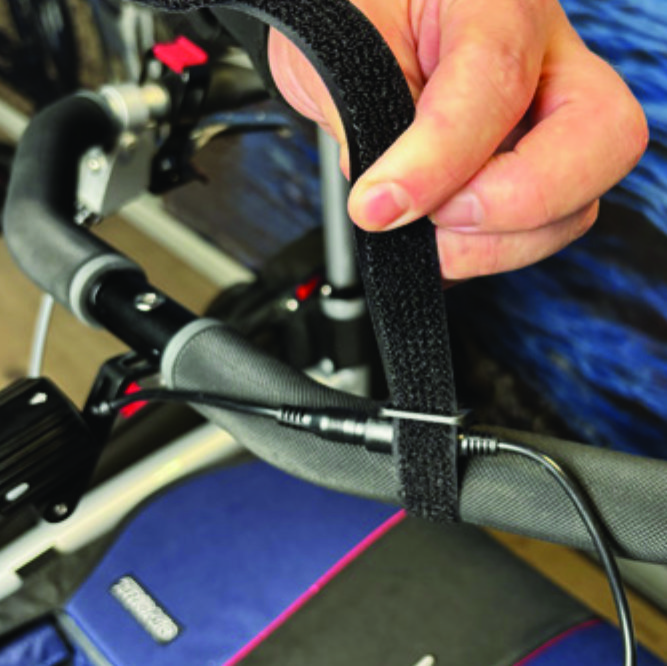
Run the longer extension cable along the U-shaped grip bar of the Veloped and secure it with the included velcro strap.
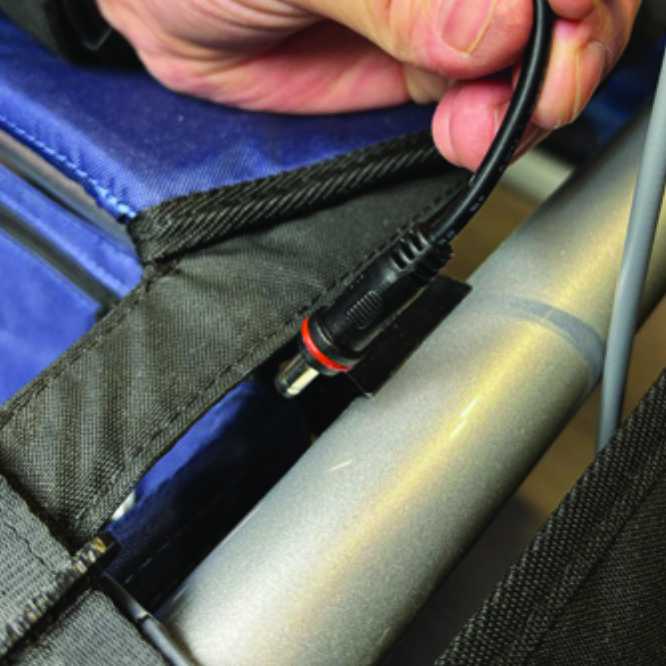
B8. Run the longer extension cable along the U-shaped grip bar of the Veloped and secure it with the included velcro strap.
You can cut the excessive length of the velcro strap with a pair of scissors.
B9. You can cut the excessive length of the velcro strap with a pair of scissors.
Place the battery pack in the rear zippered pocket of the basket.
B10. Place the battery pack in the rear zippered pocket of the basket.

The package contains

The package contains

How to operate the light

How to operate the light

Product Reviews    

  • The Trionic walker gave me some of the freedom I had lost.…

    The Trionic Veloped Rollator changed my life. I thought I would never be able to take walks again, but the Trionic changed that. Not only can I go on long walks, but I am able to hike many of the mountain trails that I love. I'm not saying I can go r…

  • 2000 km in 16 months with the Walker 14er

    From August 2021 to the end of 2022, I covered just over 2000 km on dirt tracks, country, and forest trails with the Walker 14er, of which just over 1600 km in 2022 alone. My wife has always accompanied me. Apart from puncturing the front wheels twic…

  • Great company - Great product!…

    I've been using a solid wheel rollator walker for 3 years. I wish I'd known about Trionic from the start! My old rollator broke for the second time in 2 years. They claimed it was an all-terrain rollator, but it obviously couldn't keep up with me as …

  • Walking whereever you want…

    There are many little towns in Germany, where the pavements are cobblestone. The Trionic Veloped makes it easy to walk around. The wheels are the best you can have, also for walking in the woods and fields.…

  • Fantastic…

    Being 82-year-old suffering from knee osteoarthritis, this walker finally gives me more freedom of movement both in the city and on rough terrain. Thanks to the stable and elegant style, it stands out from all the walkers I knew and does not give you…

  • High quality product…

    Technically sophisticated. Excellent workmanship. Stable and safe to use. Perfect for walking on dirt roads and cobblestone streets. Also, very suitable for patients with balance disorders.

    The only point that, in my opinion, could be improved is …

  • Nicholas MacLean…

    The Veloped Tour is the Rolls-Royce of walkers. Quality materials and construction, the 12" pneumatic wheels make for effortless manoeuvrability and progress over uneven ground, pavements and kerbs.
    I am very pleased with this product and the afte…

  • This is our second Trionic Walker……

    This is our second Trionic Walker and it is without a doubt the best product we have ever had. The quality, durability and functionality of this walker are unmatched.…

  • A great product.…

    I am 93 and was always a lively walker until a problem with my legs occurred a few years ago. That resulted in my walking with a stick - not very satisfactory. Rollators are not so common in the UK, and when my Swedish relative suggested one, I r…

Subscribe to our newsletter!

"> ?>